


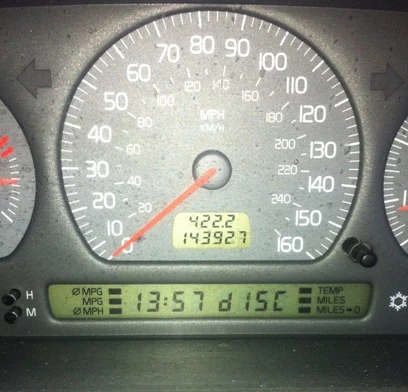
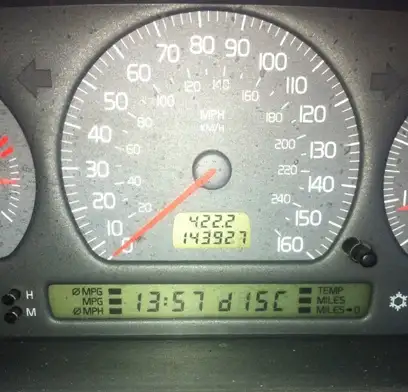
Every so often my on board computer flashes “DISC” and I’m pretty sure it means disconnected or something along those lines. I’m pretty sure it has nothing to do with the radio/cd- disc player.
mikealder »
If you keep getting the Drivers Information Module (DIM) on the Phase One V/S 70 giving out the word DISC it means “Disconnected” in that the selector switch internals are disconnected, quite an easy and cheap DIY fix:
Firstly remove the switch from the dash, this is best done with a small screwdriver inserted just above the switch to lever out the top then repeat at the bottom of the switch to release the clips, there is enough length on the cables for the switch to come out of the dash while still connected.
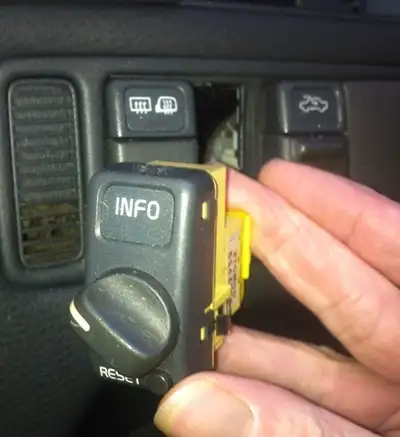
Disconnect the switch, there are two plastic clips that secure the connector to the switch body, lever these away from the switch to release the connector.
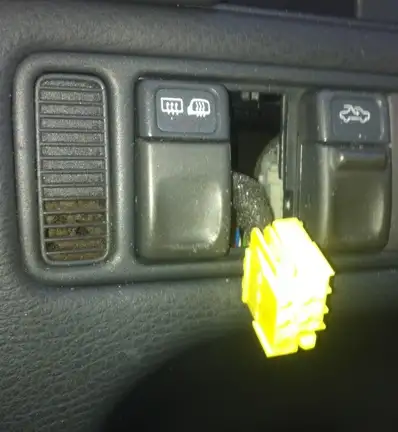
For the next section you can take the switch indoors or on to the bench in the workshop, do not attempt the rest of this section in the car are the switch internally contains quite a few small parts that would be easy to lose in the car.
You will need a small screwdriver:

The switch knob simply pulls off the front of the switch, don’t bother working out or trying to remember which position the switch is in as it can only be fitted in one position:
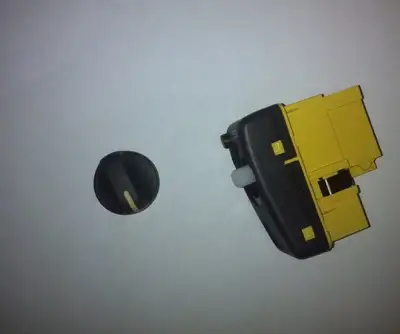
Using the small screwdriver insert it in to the gap where each of the four retaining lugs are located, work each retainer lug free to separate the two halves of the switch:
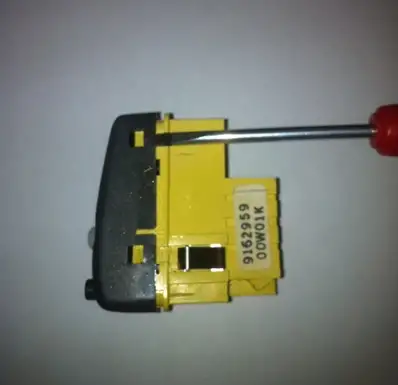
The top simply pulls off when the four retainers have been released to reveal the inside, take care not to let the long spring sat in the yellow portion to become lost or the reset switch will fail to work on reassembly:
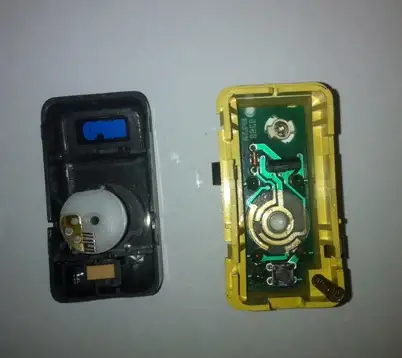
The white contact block can be carefully removed from the switch front body, take a close look at the six wiper contacts, if they are dirty clean them with contact cleaner spray:
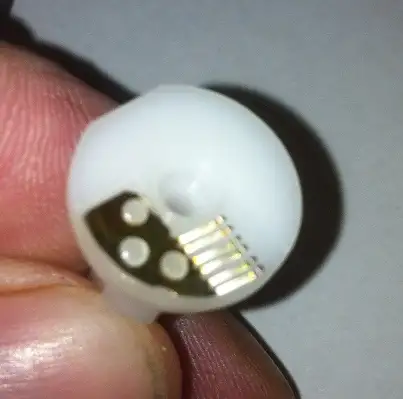
The lower body contains the PCB where the wiper contacts touch forming the different circuits as you rotate the switch the contacts are the round copper coloured tracks:
To get the PCB out of its housing simply apply a little pressure to the contacts at the rear of the switch body where the plug from the dash wiring used to be connected, the PCB will then simply fall out:

Now for a little dodge to change the backlight bulb in the switch which is quick release but entrapped by the white plastic secured to the back of the PCB, simply use a dremel to carefully cut out the white plastic so you can get at the rear of the bulb holder give it a small turn and out pops the bulb in its holder, a replacement bulb is known as a “grain of Wheat bulb” and can be found at most decent electrical shops even those that support dolls houses or model railways will have stock at far cheaper prices than the main dealer:


I fitted a soft wire brush to the Dremel and gave the PCB contacts for the switch a quick polish, no pressure applied though as you
don’t want to damage the delicate copper tracks:

I also applied a little force to the wiper contacts to bend them further up in order to apply increased pressure thus maintaining contact
with the PCB, a credit card is quite handy to do this, just don’t go too far as you can’t afford the wipers to snap:
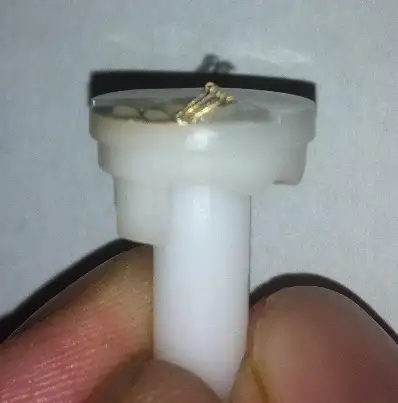
Reassembly is pretty much the reverse of how it came to bits but to stop the white plastic shaft supporting the wiper contacts dropping back out
I find it easier to push the knob back on to the shaft prior to putting the switch back together:

Back to the car with the repaired switch and reconnect the electrical plug to the rear of the switch, it can only be fitted the correct way around so don’t force it:
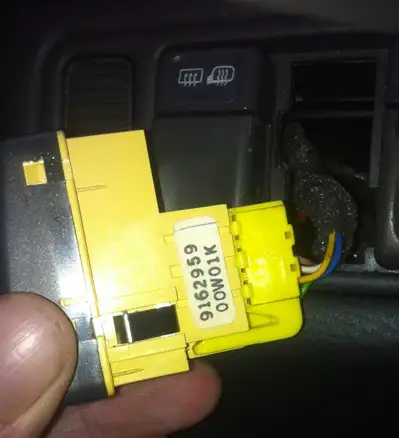
Push the connected switch back in to its hole on the dashboard until it clips securely back in position:
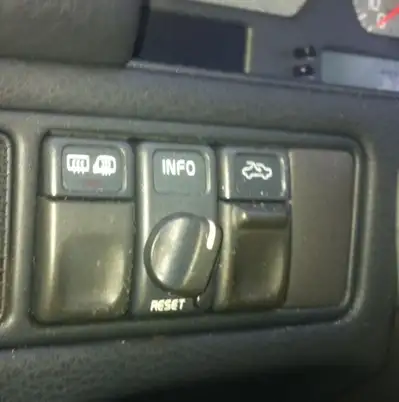
27 Minutes later with the ignition switched on and its behaving itself the stupid “DISC” message has gone:
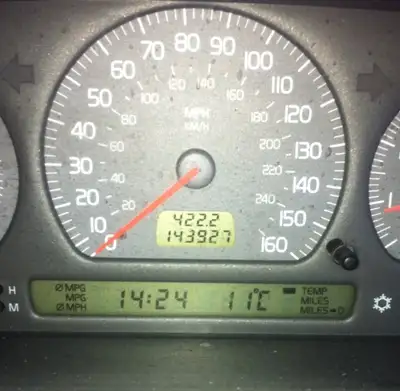
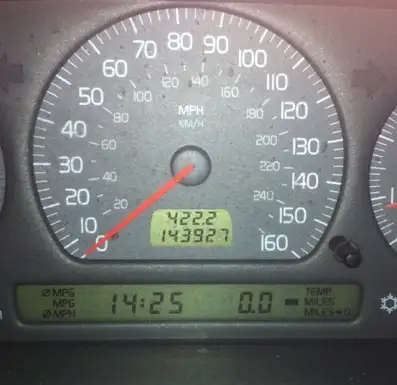
If the switch is in the MPG position you will get this display, but to test the switch fire up the engine and go through each selection in turn:
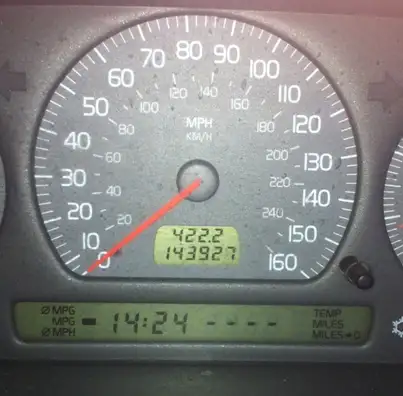
The last two checks are to ensure the reset switch is working so select one of the options that can be reset and give the reset switch a prod for a couple of seconds to make sure it works as advertised before finally turning the lights on to check the switch backlight is also functional:
Hope this helps – Mike
Bonus! More on the Volvo S70
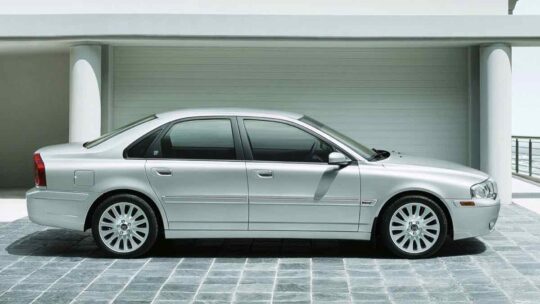
Introduced in Europe in late 1996 for the 1997 model year and later in the U.S. for the 1998 model year, the Volvo S70 was an updated version of the Volvo 850 saloon. The S70’s body style was overall more rounded compared to its predecessor. Changes included a redesigned front end with new lights, fully colour-coded bumpers and side trim, and clear indicator lenses for the rear lights, as well as a redesigned interior. According to Volvo, a total of 1800 changes were made
Standard equipment was improved with remote central locking, heated & electrically adjustable mirrors, 4 airbags, power brakes with ABS and power windows being standard on every car. Trim levels varied for each market as did the equipment levels of the most basic trims. In the United States, the badging denoted the engine variant and to some extent the equipment level, whereas in Europe engine and options could be chosen individually. On all markets more powerful versions usually received better or upgraded standard equipment. The T5 and R were the series high-performance models.
Subscribe to the MVS Newsletter
The MVS Volvo Newsletter is a once-a-month email delivered to your email. It’s simple to unsubscribe at any time if you change your mind.
Visit The Official Volvo Cars Website
Last Updated on May 28, 2025



2 Comments
how to reset my volvo s40 2001 model
i took my volvo s40 2001 model to local mechanic for sevice, it came back with ABS and seatbelt lights on. doors do not lock and time clock and kilos are reseted everytime the engine is swiched off, after every trip